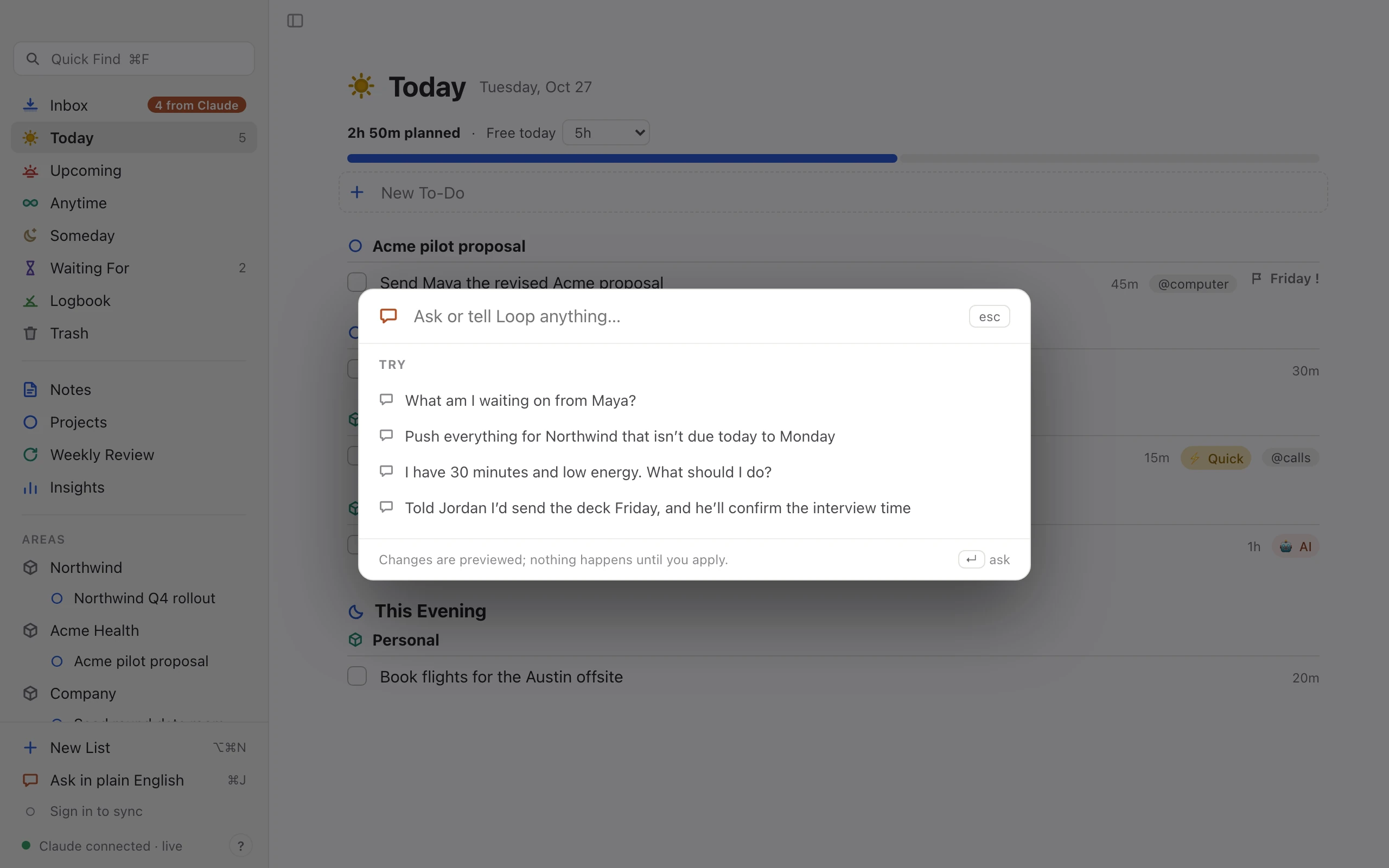
Ask in plain English ⌘J
“Push everything for Northwind that isn’t due today to Monday.” You see the change first. Nothing happens until you click Apply.
You said you’d send the deck by Friday. Loop caught it in the meeting, your email, Slack or your own notes, and turned it into a to-do. It shows you where each one came from and waits for your yes.
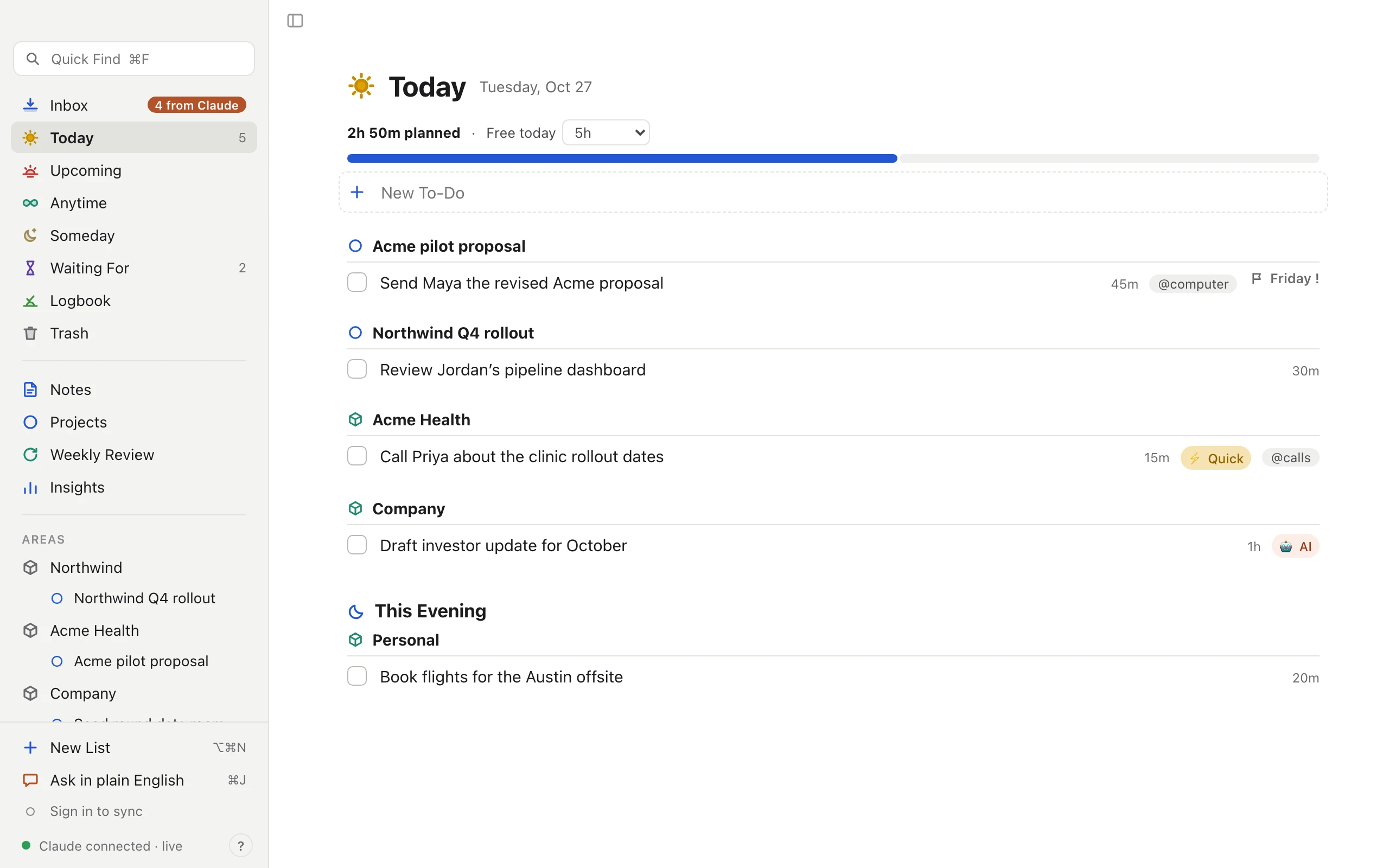
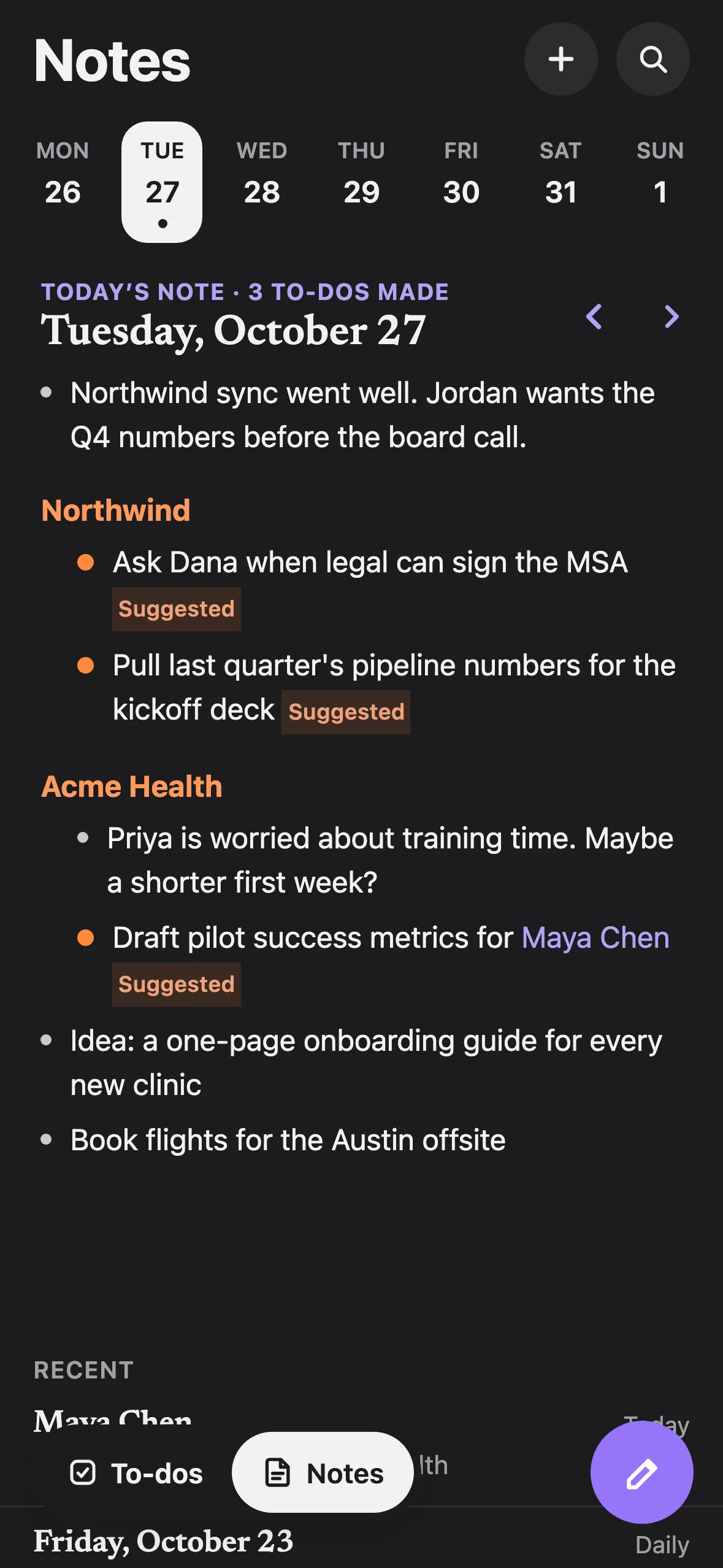
Real screens from Loop on Mac and iPhone, with an example workspace.
Most to-dos start as a sentence. “I’ll send that over.” “Let me get back to you.” Loop reads your meetings, sent mail, Slack and Claude chats for those sentences, and turns the lines you mark in your own notes into to-dos too. Each one arrives as a suggestion.
Pick a source to see it happen. Each suggestion keeps the line it came from, so you never have to wonder why it’s there.
Every day starts with a fresh note. Write down what’s on your mind after a call, link the people and clients you mention, and turn any line into a to-do. Loop ticks the line, so your notes show what’s already handled.
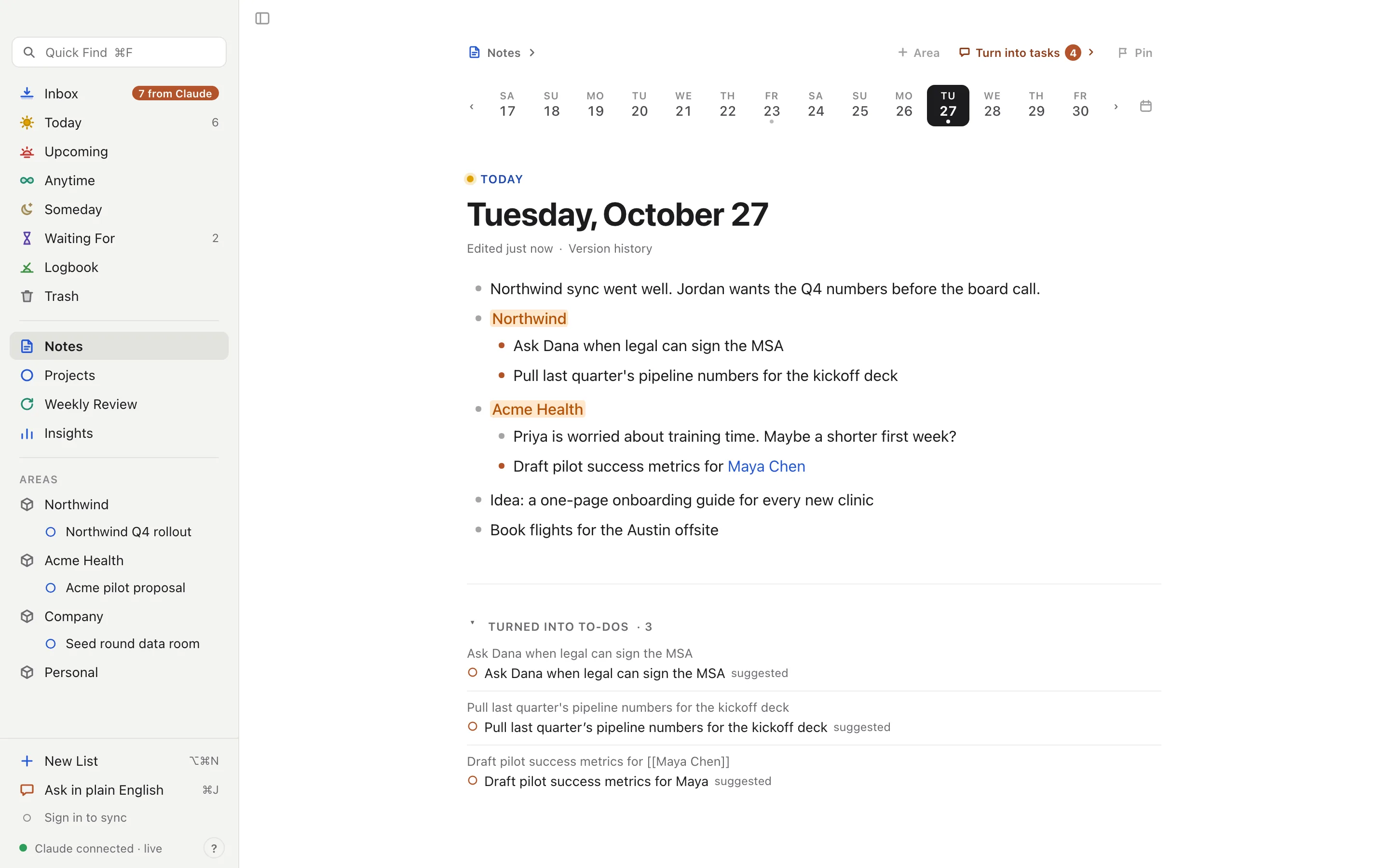
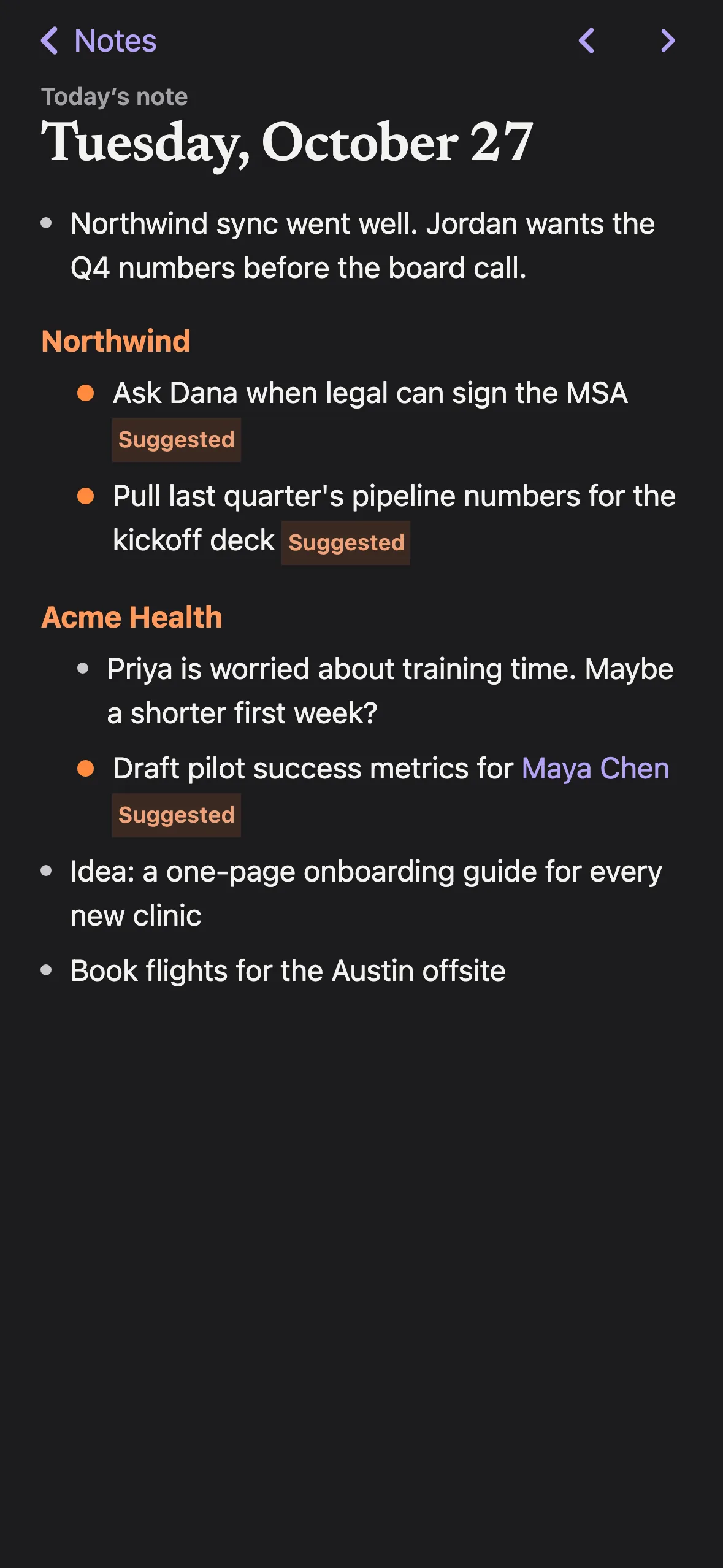
Today’s note is one click away, with the past week right above it. Nothing to name, nothing to file.
Turn the whole page into to-dos, or drag over just the lines you mean. Lines under Northwind are filed in Northwind.
Type [[Maya Chen]] and she gets her own page. Every note that mentions her shows up on it.
Mention a client or colleague in any note and it lands on their page, newest first. Open it before the next call and you’re caught up.
Loop never slips anything into your lists. Suggestions sit at the top of your Inbox until you keep them, file them or let them go. One click each, or all at once.
Open any suggestion and you’ll see the meeting, thread or chat it came from, and the exact words you said. Its history lists who added it and when.
Jordan Can we get the new numbers before the board call?
You Yes. I’ll send you the updated pricing sheet after this call.
I’ll send you the updated pricing sheet after this call.
Loop reads your calendar for free time and shows how much you’ve planned against it. It doesn’t move your meetings or reshuffle your day. It just tells you when Today is full.
The Mac app is where you plan. The iPhone app is where you keep up. Jot a note or approve a suggestion on the train and it’s on your Mac before you sit down.
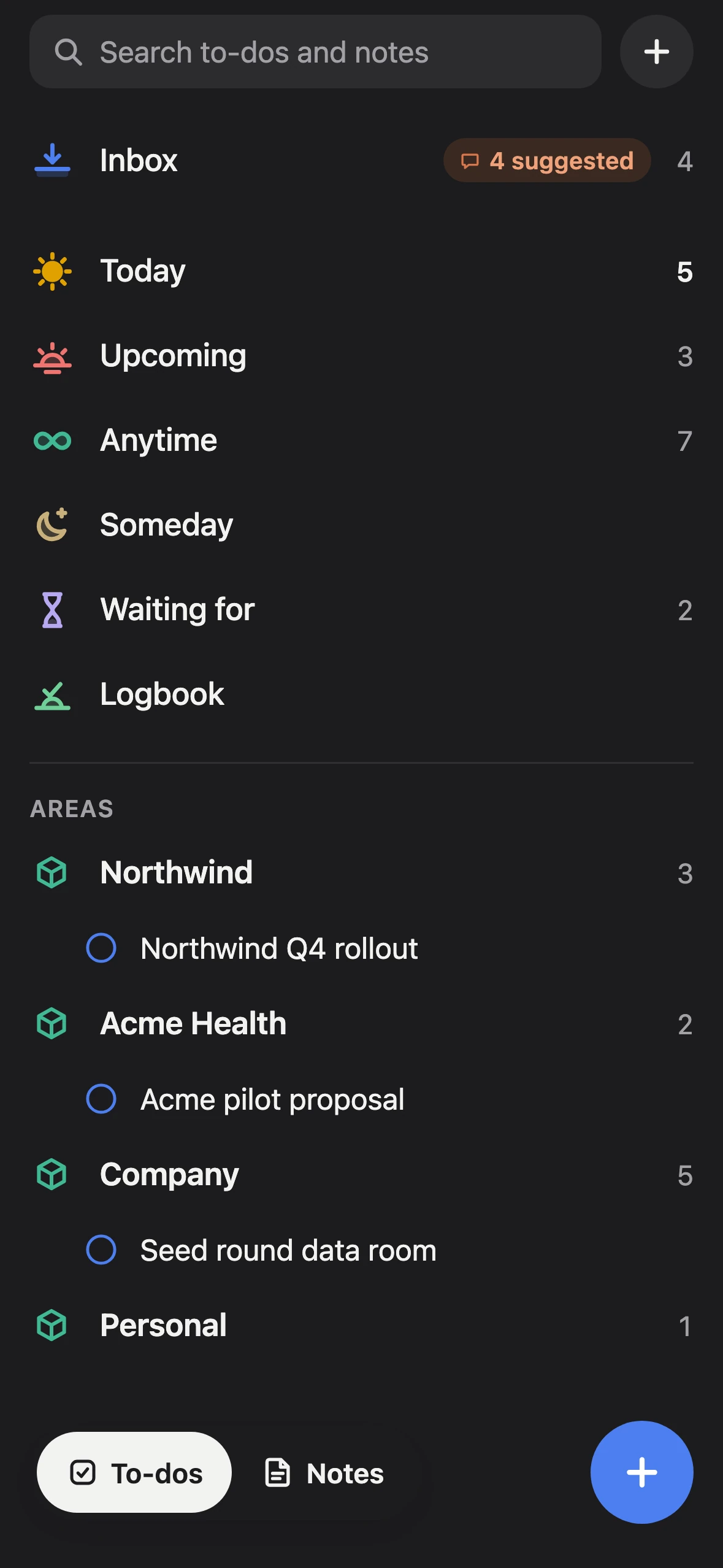
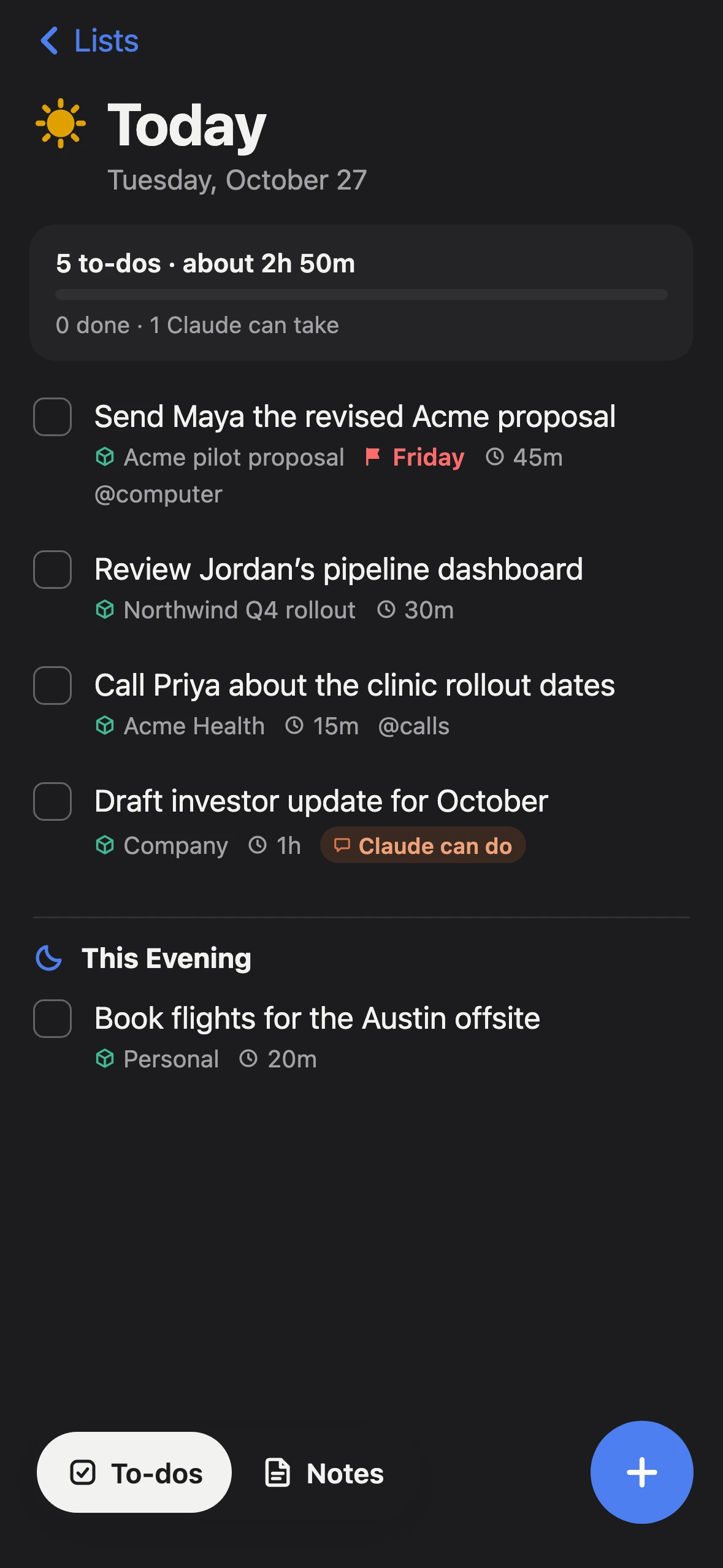
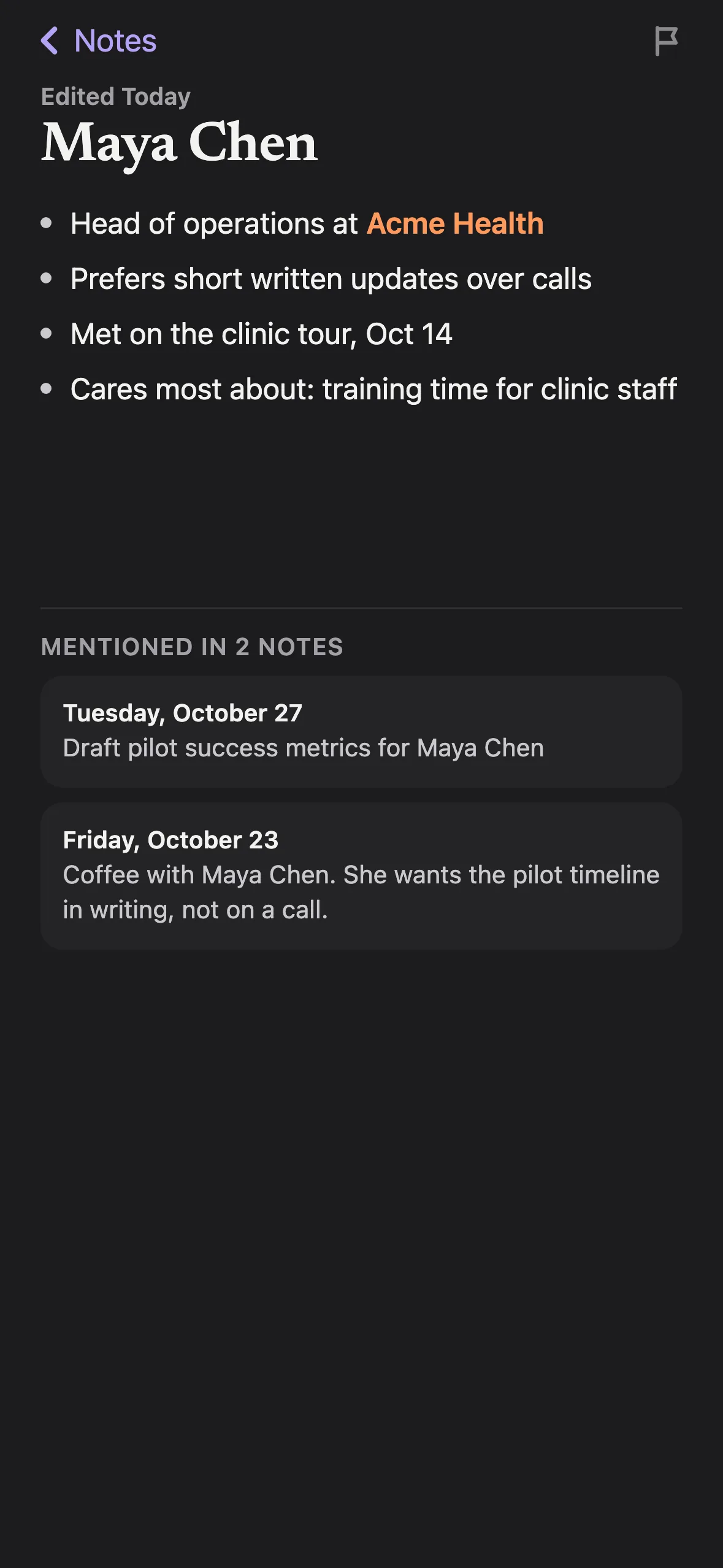
Every Mac and iPhone keeps a full copy of your lists and notes. Loop works offline and catches up when you’re back.
Changes go both ways as soon as you’re online. Edit the same to-do on two devices and both edits survive.
The Mac app keeps daily snapshots of your lists, the last 30 of them, on your own disk.
“Push everything for Northwind that isn’t due today to Monday.” You see the change first. Nothing happens until you click Apply.
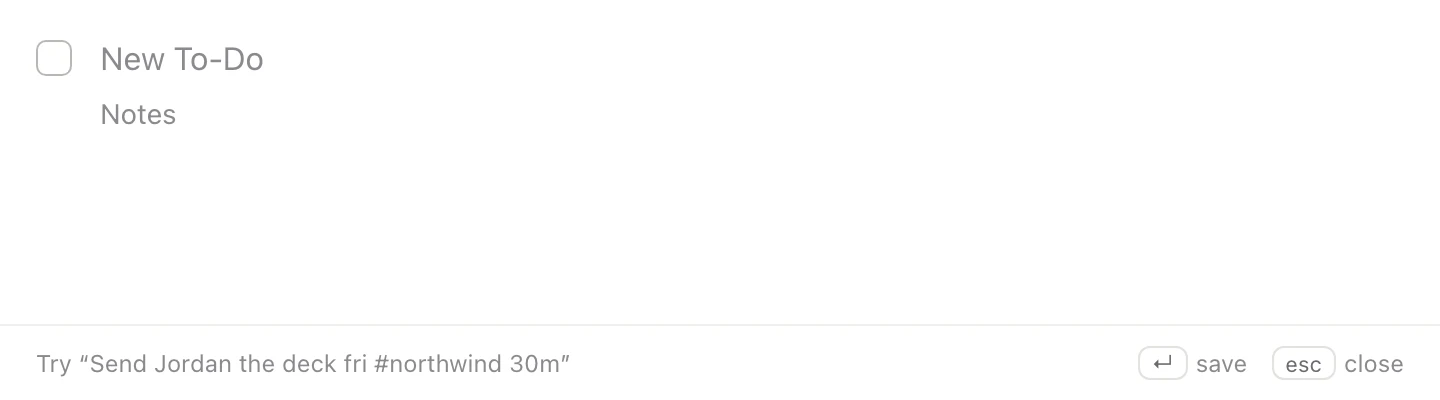
Add a to-do from anywhere on your Mac. Type “fri”, “#northwind” or “30m” and Loop sets the date, area and estimate.
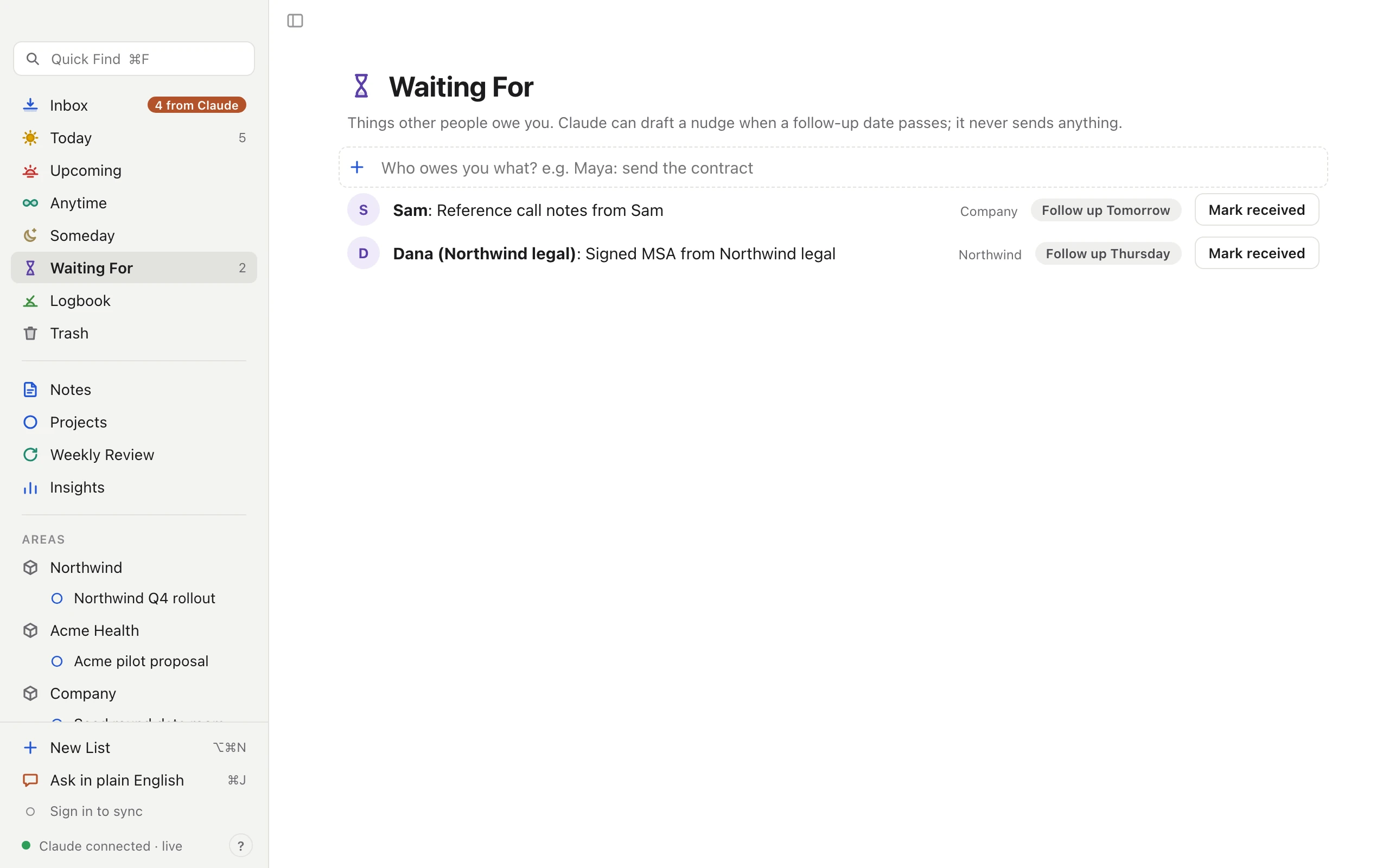
Track what other people owe you, with a follow-up date. When it passes, Claude can draft a nudge. It never sends one.
Loop is built on Getting Things Done: capture everything, decide what’s next, and look over it all once a week. Seven lists, each with one job.
Loop connects to Claude Desktop and Claude Code over MCP. Ask in your own words, and anything Claude adds still waits for your OK.
Loop does the noticing. You keep the deciding.
A to-do list and notes app for Mac and iPhone, built on Getting Things Done. Loop reads where your commitments happen, like meetings, email, Slack, Claude chats and your own notes, and suggests them as to-dos. You decide what stays.
Probably not. Loop gives you a note for every day and a page for anything you [[link]], with linked references, search and version history. Any line can become a to-do.
No. Suggestions wait in your Inbox until you keep them. When you ask for a change with ⌘J, you see a preview first, and nothing happens until you click Apply. Every change is in the to-do’s history and can be undone.
Your own notes, Fathom meetings, Gmail (your sent and starred mail), Slack DMs and mentions, Google Calendar, and your chats with Claude. Each suggestion keeps the source and the line it came from.
No. For Waiting For items, Claude can draft a follow-up when a date passes. You send it, or you don’t.
No. Loop reads your calendar to know how much free time you have, so Today can show whether you’ve planned too much. Your meetings stay where they are.
On your devices first. Every Mac and iPhone keeps a full copy and syncs through your Loop account, encrypted in transit and at rest. The Mac app also keeps daily backups on your disk.
Loop is in early access on Mac and iPhone. Leave your email below and we’ll send an invite.
Get early access to Loop for Mac and iPhone. We’re letting people in a few at a time.